Who hasn't heard of the legendary Fortnite? Developed by Epic Games and released in 2017, this game revolutionized the " Battle Royale " genre, where the goal is to be the last survivor. Even today, Fortnite remains a major player and continues to captivate countless gamers, thanks in large part to the numerous events organized directly within the game.
The game is free, which only adds to its popularity. To play it, forget about high-end gaming rigs; they're not necessarily required. Epic Games has done a tremendous job optimizing the game to ensure it runs as smoothly as possible and at affordable system requirements.
What you need to do is choose the most suitable setup . Without proper guidance and faced with an online game like this, you might feel lost, and that's perfectly normal!
But rest assured, we will explain everything to you in detail.
To satisfy as many players as possible, Fortnite was designed to accommodate the widest range of PC configurations . A large number of different setups are possible to play the game. It is therefore important to know the minimum requirements for the game to run smoothly and for the best possible experience.
The minimum system requirements to play Fortnite
Operating system: Windows 7 or Mac OS Mojave 10.14.6
Processor: Intel Core i5-3570K or AMD FX-8310
RAM: 8 GB
Graphics card: NVIDIA GeForce GTX 780 or AMD RX 470
Storage: 70 GB (SSD recommended)

First, it's important to know that the minimum system requirements for playing Fortnite don't guarantee a flawless gaming experience . There may be times when your PC struggles. This configuration is perfect if you just want to play occasionally with friends and relax!
However, you are not immune to some drop in FPS (frames per second of your game).
If you meet the minimum system requirements, the game will run, but you won't be able to play with high display settings. You'll need to lower the graphics settings and close your background applications. To be more precise about the recommended components, a processor with 2 physical cores and 4 logical cores will be sufficient.
Regarding the graphics card, the ones recommended by Epic Games are models from 2013. Any equivalent or superior model will therefore work. With this configuration and your graphics settings adjusted, your game should run at an average of around 30 fps .
Fortnite is also a competitive game . If you're playing to reach a high level, smooth gameplay is essential. Epic Games therefore recommends a setup that allows you to achieve a minimum of 60 fps .

The recommended configuration for playing Fortnite
Operating system: Windows 10 or Mac OS Mojave 10.14.6
Processor: Intel Core i7-4790 or AMD Ryzen 3 3200G
RAM: 16 GB
Graphics card: NVIDIA GeForce GTX 1060 or AMD Radeon R9 Fury
Storage: 120 GB (SSD recommended)
The recommended configuration above will allow you to play with a high frame rate. This setup will offer an optimal gaming experience that could even allow you to compete at high graphics settings. As for your processor, a 4-core processor will be sufficient.
As for the graphics cards recommended by Epic Games, these date back to 2016. That is, a much more recent date than those of the minimum configuration to play Fortnite, however, there are a multitude of models that are superior to these and at quite affordable prices.
Focusing solely on PC components would be a mistake, especially if you're aiming for competitive play. A large number of external factors come into play. We'll highlight the most important ones!
If you have the budget but lack the knowledge to build your own PC, we recommend you look at MEGAPORT GAMER PCs!

One element that changes everything!
First and foremost, the most crucial element that should not be overlooked is your internet connection. Even with a top-of-the-line setup, if your internet speed isn't sufficient, Fortnite will be unplayable . You'll need to ensure you have a good ping (the response time between your computer and the server). The lower the ping, the better! A ping of 40 ms or less would be ideal.
Furthermore, you will absolutely need a stable connection. You cannot afford to have
a lag at the crucial moment, the moment when only you and your last enemy remain alive.
Keyboard and mouse, which to choose?

Of course, a mouse and keyboard are crucial for any Fortnite gamer ! Choosing them depends on individual tastes and preferences. However, we recommend a mouse with macros (key combinations that act as shortcuts). With a little practice, you'll be able to build structures very quickly.
The best mice for Fortnite!
If you prefer lightweight mice, we recommend a Razer gaming mouse . Designed to perfectly suit the needs of FPS gamers, they boast a unique design and a light weight, ideal for long gaming sessions that prevent arm fatigue! The brand is one of the best on the market.
If you prefer mice with a wide range of macros, the Logitech G502 HERO is perfect for you. The shortcuts are easily accessible, and its next-generation optical sensor is among the best. It weighs 121g, and this can be manually adjusted to your preference.


On the other hand, if you prefer heavier mice with a good grip, the Corsair Scimitar ELITE might be just what you're looking for! 18,000 DPI and top-notch ergonomics and appearance, this mouse might be the closest to what you're looking for; in fact, the button block on the side can be moved to perfectly adapt to the shape of your hand.
The mouse sensors are even better than the previous two, and the RGB lighting will give you a classy look! The mouse is pricey, however, but this is entirely justified when you consider the quality of the product.

Regarding the keyboard, you'll also have a very wide range of products to choose from. The essential thing to remember is that you need a mechanical keyboard. Forget membrane keyboards; they won't give you perfect control of your character or allow for efficient item management.
Keyboards for playing Fortnite!

Offering excellent value for money, we find the Logitech G413 . It features red backlighting, lightning-fast Romer-G tactile switches that require only 1mm of travel to activate, and its responsiveness earns it a place among the best mechanical gaming keyboards .

Do you prefer keyboards with a wrist rest ? The Corsair K70 probably has everything you're looking for! With it, you can enjoy very long gaming sessions without feeling any pain in your left wrist. You can also have a stylish look.
It's incredibly durable thanks to the RGB backlighting inside the keys. The Corsair K70 features MX switches, allowing you to purchase different switches to suit your preferences and achieve the perfect click for you.

Its little details that you don't necessarily think about: The mouse pad!

Another element to consider is your mousepad . It's true that this can be easily overlooked; however, during close-quarters combat in Fortnite, you'll need a certain amount of camera freedom, especially to scan your surroundings, position your builds effectively, and keep your opponent in your sights. If your enemy is circling you, you can't afford to reach the end of your mousepad because your desk won't provide the same effect (take our word for it). The larger your mousepad, the better.
Good to know: If you have opted for a spacious gaming desk, choosing an XXL mouse pad is something to consider!
If we could recommend one mousepad per se, it would undoubtedly be the SteelSeries QcK XXL . Featuring an exclusive micro-woven fabric that allows for unparalleled mouse glide, this pad is perfect for gamers with a sensitive mouse that allows them to look all around them. Its extra-thick, non-slip rubber base will eliminate unwanted mouse movement.
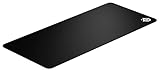
The QcK XXL is enormous! At 900mm x 400mm, you'll never again have to swipe your mouse to find your mousepad isn't big enough. You'll need to measure your desk to make sure you have enough space. You'll be able to see everything around you without constantly having to lift your mouse. You can also purchase this mousepad with an RGB border for even more style!
It's also important to know that depending on your mouse choice, some may have features exclusive to mousepads of the same brand. Consider looking into this if it might interest you.
Choosing the perfect screen

Choosing the right monitor is crucial! What good is a high-performance PC if your monitor can't fully utilize its capabilities? And the reverse is also true. Therefore, depending on the capabilities of your components, you'll need to choose a monitor with varying performance levels. For those with PCs closer to the minimum requirements for playing Fortnite, we recommend the ViewSonic VX2458 .

This monitor is available at a very affordable price. Its curved VA panel and 1920 x 1080 pixel resolution at 144 Hz guarantee smooth gaming and stunning quality. It also has a built-in speaker.
Furthermore, if you play on a 144Hz PC monitor , we recommend this article: What configuration do I need to play Fortnite on a 144Hz monitor?
For those with a setup close to or better than the recommended specifications for playing Fortnite, we highly recommend investing in a BenQ XL2546 . This monitor is designed for esports and is used by a large number of world-renowned players! With a 240Hz refresh rate, it's simply unbeatable!
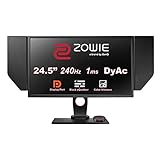
With this 240Hz gaming monitor featuring Black eQualizer technology, you can adjust the brightness to your liking! Ideal for avoiding overly dark or overly bright areas on the monitor.
Enemies in dark areas will be easily identifiable! This monitor also features side panels that allow for absolute focus on your game while blocking any unwanted light reflections. If you want to be at the top of your game, there's nothing better than the XL2546!
Choosing and optimally organizing your office

No one knows your gaming setup better than you! Your setup is your soul; without it, you're nothing! We recommend buying your desk only after you've chosen all the components and equipment you need to play Fortnite . Simply because by doing so, you can buy everything you want without having to worry about space!
Then all you have to do is choose a desk based on the dimensions of all your future equipment. Glass or wood, it doesn't matter; the choice of desk is yours. Let your imagination run wild to create a setup that reflects your style.
Here are this year's best-selling gaming desks!
However, there are some points you cannot overlook in your purchase:
- Your desk needs to be sturdy enough to support your entire setup. You can't afford something flimsy and risk it breaking if you drop your equipment
- You should choose a desk with ample width and depth; it's important to be able to position the screen closer to or further from your eyes depending on your activities and the time of day. Therefore, you'll need sufficient space to move your screen forward or backward
Good to know: Discover the best 100% geek decorating ideas for your gaming desk !
Comfort above all!

Comfort is all too often overlooked, yet ! Indeed, if you're young, you might pay little attention to adopting good posture and using a comfortable chair. But you'd be wrong! Your back health is paramount, and being comfortably seated will only increase your chances of playing well!
There are a multitude of gaming chairs available at a wide range of prices. Feel free to choose according to your tastes and style! But above all, remember to check if the chair you want to buy has been designed for optimal posture and health!
Here are the best gaming chairs we recommend!
Before we finish, it's important to know that the components of the setup we've recommended today aren't just for Fortnite. You can play many other games with the hardware mentioned above! However, this particular setup has been specifically designed to help you dominate your enemies in Epic Games' famous title!
Does this list of prerequisites and equipment that would allow you to become a true Fortnite gamer seem unnecessary? If you don't have them, one of your opponents will, and that can only mean one thing: no Victory Royale for you! Give yourself every chance of success.