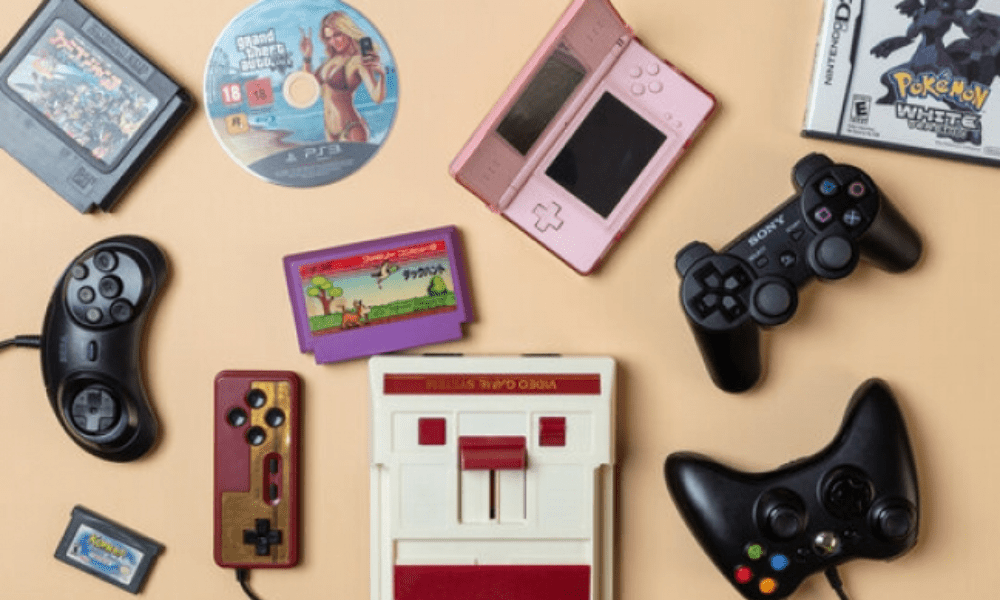
The Nintendo DS is one of the most popular handheld consoles of all time, with over 150 million units sold worldwide. It offers a diverse and high-quality game library , ranging from classics like Mario, Zelda, and Pokémon to original titles such as Animal Crossing, Nintendogs, and Professor Layton. If you want to play these games on your Android smartphone , you'll need a DS emulator for Android . This software allows you to simulate the functionality of a console on another device. This way, you can play Nintendo DS games on your phone as if you had the console in your hands. In this article, we'll introduce you to the best DS emulators for Android available on the Google Play Store and explain how to use them.
What are the advantages of an Android DS emulator?

An Android DS emulator offers several advantages over a Nintendo DS console:
- It allows you to play all Nintendo DS games without having to buy the console or cartridges. You can download game ROMs from the internet (note that you must own the originals to comply with the law) and run them on your emulator.
- It offers better graphics quality than the console. Indeed, you can increase the resolution of games , apply filters or effects to improve the visuals. You can also customize the display of the DS's two screens to your liking: stacked, side-by-side, landscape or portrait mode…
- It gives you access to additional features such as quick saving , cheat mode, customization of touch or physical controls, compatibility with external controllers, Google Drive support to synchronize your saves…
- It allows you to play your Nintendo DS games wherever you go without needing to carry an extra console . You just need your smartphone and an emulator.
You might like this article: Comparison of the best Cloud Gaming Services!
What are the best DS emulators for Android?

There are several Android DS emulators on the Google Play Store, but they are not all created equal. Some are more powerful, more feature-rich, or easier to use than others. We have selected the three best Android DS emulators currently available for you:
DraStic DS Emulator
DraStic DS Emulator is arguably the best Android DS emulator on the market . It can run almost all Nintendo DS games smoothly, with excellent speed and compatibility. It offers numerous customization options for graphics, sound, and controls. It supports external controllers, Google Drive, cheat codes, and local or online multiplayer modes. It costs €4.49, but it's well worth the price. It's the ideal emulator for demanding gamers who want to fully enjoy their Nintendo DS games on their smartphone.
EmuBox

EmuBox is a versatile emulator that can emulate several retro consoles such as the PS1, SNES, and Nintendo DS. It offers good performance and a simple, elegant interface. It provides basic features like quick save, external controller support, and portrait/landscape mode. It's free, but contains ads that can be intrusive. It's a good choice for casual gamers who want to try out different games on their smartphone .
NDS Emulator

NDS Emulator is a simple and effective emulator focused on the Nintendo DS. It has all the basic features such as external controller support, save and load states, customizable on-screen controllers, and portrait or landscape mode. It's free and ad-free, which is a plus. It works well with most games, but it can have a few bugs. It's a good choice for gamers looking for a straightforward, no-frills emulator .
Comparative table of different Android DS emulators
| Name | Price | Advertisements | Performance | Compatibility | Options |
| DraStic DS Emulator | 4,49€ | No | Excellent | High | Numerous |
| EmuBox | Free | Yes | Good | Average | Basics |
| NDS Emulator | Free | No | Good | Average | Basics |
How to use an Android DS emulator?

To use an Android DS emulator, you must follow these steps:
- Download and install the emulator of your choice on your smartphone from the Google Play Store
- Download the ROMs of the Nintendo DS games you want to play online (note that you must own the original games to comply with the law) and store them on your smartphone's internal or external memory.
- Open the emulator and navigate to the folder where the ROMs are located
- Select the game you want to launch and press it
- Enjoy your Nintendo DS game on your smartphone
You can also modify the emulator settings according to your preferences: resolution, filters, controls, sound, saving…
See also: The Best Retro Gaming Consoles!
FAQs
What is the best DS emulator for Android?
The best Android DS emulator is DraStic DS Emulator , which offers optimal performance, high compatibility, and numerous customization options. It costs €4.49, but it's well worth the price.
How to play online with an Android DS emulator?
To play online with an Android DS emulator , you need to use DraStic DS Emulator , which supports online multiplayer. You also need a Google Play Games account and to be connected to the same Wi-Fi network as the other players. Then, follow these steps:
- Launch the game you want to play online on the emulator
- Press the “ Menu ” button in the top right corner of the screen
- Select “Local Link”
- Choose between “Host game” or “Join game” depending on whether you want to create or join a game
- Invite or accept other players
- Start playing online
How do I save my progress with an Android DS emulator?
To save your progress with an Android DS emulator, you have two options:
- Use the game's internal save function , which works the same way as on the Nintendo DS console . You need to access the game menu and select the "Save" option. The save file will be stored in the same folder as the game's ROM.
- Use the emulator's quick save feature , which allows you to save at any point during gameplay. Press the "Menu" button in the top right corner of the screen and select the "Save" option. You can choose from several save locations. The save will be stored in the "DraStic/backup" folder for DraStic DS Emulator, in the "EmuBox/DS/backup" folder for EmuBox, and in the "NDS/backup" folder for NDS Emulator.
How to play 3DS games on an Android DS emulator?
It's not possible to play 3DS games on an Android DS emulator because the two consoles are different and use different file formats. 3DS games are in 3D and require more processing power than DS games. There isn't a reliable and efficient Android 3DS emulator available at the moment. If you want to play 3DS games on your smartphone, you'll have to wait for such an emulator to be developed or use another method like streaming from your PC.
How to optimize the speed of an Android DS emulator?
If you find that your Android DS emulator is too slow or that it experiences lag or stuttering, you can try to optimize its speed by following these tips:
- Close any background applications that are using up memory or battery
- Activate airplane mode to disable unnecessary connections
- Reduce the resolution or graphics effects of the emulator
- Use a faster rendering mode such as OpenGL mode
- Use a more powerful or newer smartphone
Conclusion
The Nintendo DS is a high-quality games Android smartphone , you'll need a DS emulator for Android . In this article, we've introduced you to the best DS emulators for Android available on the Google Play Store and explained how to use them. We hope you found this article helpful and learned something new.