
When it comes to buying a mouse, too many people neglect the importance of choosing the right one and simply grab the first one they see, mistakenly believing it will do the job. But using a good quality mouse can make all the difference. Precision and efficiency will be significantly improved, especially when it comes to video games.
Wired mice are gradually giving way to Bluetooth mice, which are becoming a key factor for gamers. They're so much more convenient!
Therefore, we suggest you find the best wireless mouse here among our 2020 selection, from high-performance, premium mice to affordable yet still effective ones. Then, you can consult our FAQ where we'll explain how to choose your mouse and why you won't regret this small investment!
Our top 10 best wireless mice
We know how complicated it can be to choose an affordable gaming mouse . That's why we want to offer you wireless mouse models that stand out for their excellent value for money!

Things to know before buying your wireless mouse
Since gamers have their own specific needs when it comes to gaming mice, we will present here the main criteria to consider when choosing the ideal model.

Number of buttons
For many gamers, the number of buttons is a crucial factor when choosing a mouse. It must meet their minimum requirements, particularly in terms of responsiveness. A gaming mouse with only two more buttons than a standard mouse simply cannot be considered a high-performance mouse. Gamers need access to macros and convenient shortcuts so their gaming experience isn't hampered by cumbersome key combinations.
Ergonomics
It's one thing to have lots of buttons on a gaming mouse, but they need to be in the right place. A high-quality gaming mouse is one with a tried-and-tested, perfect user experience.
Each button must be in the correct position to allow the player to access its shortcut. If the button's position isn't carefully considered, the player will repeatedly make incorrect actions, resulting in a completely unsatisfactory user experience.
Performance
You might already be wondering why some mice are so popular among gamers. The reason is simple: certain gaming mice stand out for their performance. They are equipped with ultra-precise sensors that allow for surgically precise actions in FPS games. For some, the laser sensor can reach a resolution of over 16,000 dpi!
Quality of the software provided
You might not think about it, but software quality is one of the main criteria when choosing a gaming mouse. For gamers, it's crucial to be able to manage the mouse's user profile according to the game they're playing. The software should be easy to configure and have an intuitive interface.
1. Roccat Leadr
Features and Reviews
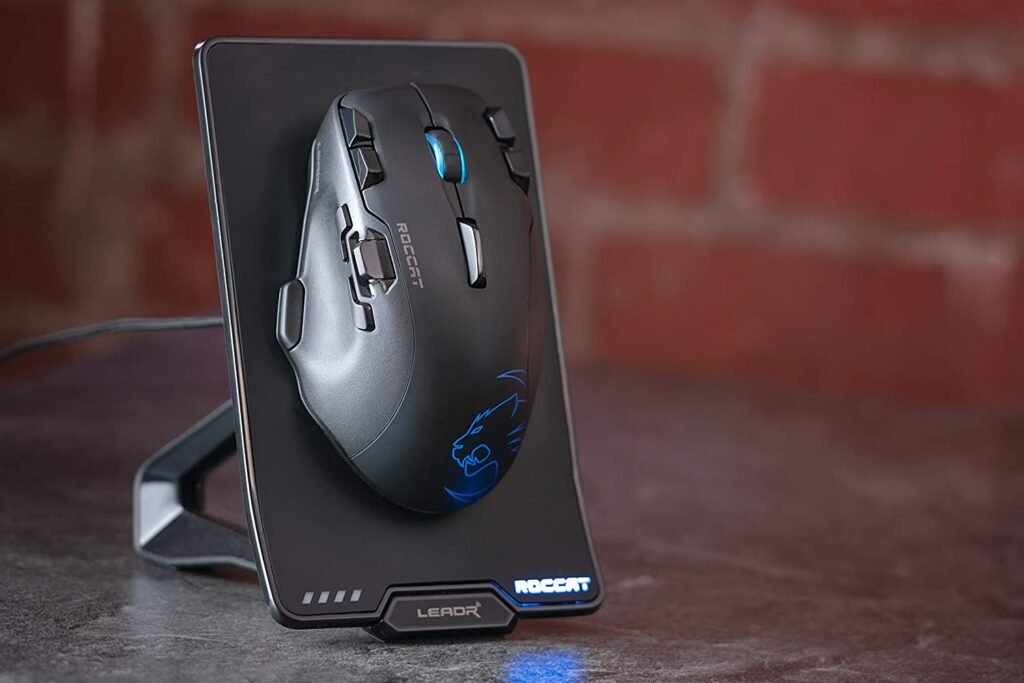
With 14 programmable buttons, the German brand Roccat has demonstrated, through the Leadr, a mouse that differs from the traditional model. Consequently, it will delight fans of MMOs and other games that require numerous shortcuts, and will also be a good choice for combining gaming with office tasks (such as video editing).
However, with its considerable weight and imposing size, it's not recommended for FPS gamers. Among its interesting features are the analog dial on the side panel and the EasyShift+ option, which doubles the available controls. It even boasts a battery life of up to 20 hours. And to top it all off, the Roccat Leadr comes equipped with a charging dock!

2. Logitech G502 Lightspeed
Features and Reviews
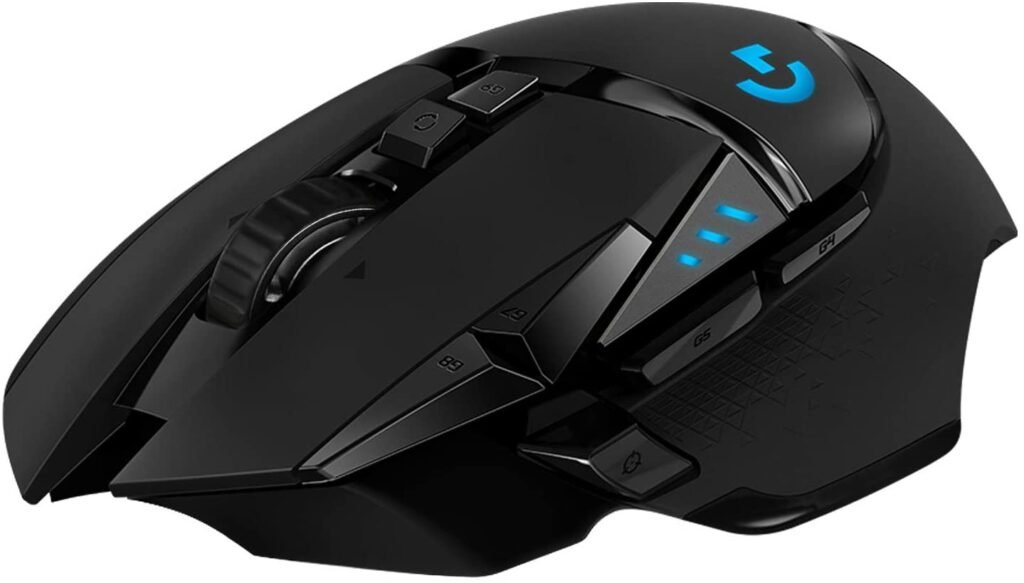
For many gamers, this is a fantastic model, and the G502 can now be connected wirelessly via the Lightspeed version. The mouse uses the same wired design as its predecessor, its comfort remains excellent, and above all, its 11 programmable buttons make it extremely versatile.
Its famous 4D flip wheel, sniper button, and adjustable weight system are still present. In use, the mouse performs well in all games, and the HERO 16K optical sensor is once again flawless. With PowerPlay compatibility, it boasts up to 60 hours of battery life (without RGB). If you'd like to learn more, we've published a full review of the Logitech G502 wireless mouse .
3. Logitech MX Vertical
Features and Reviews
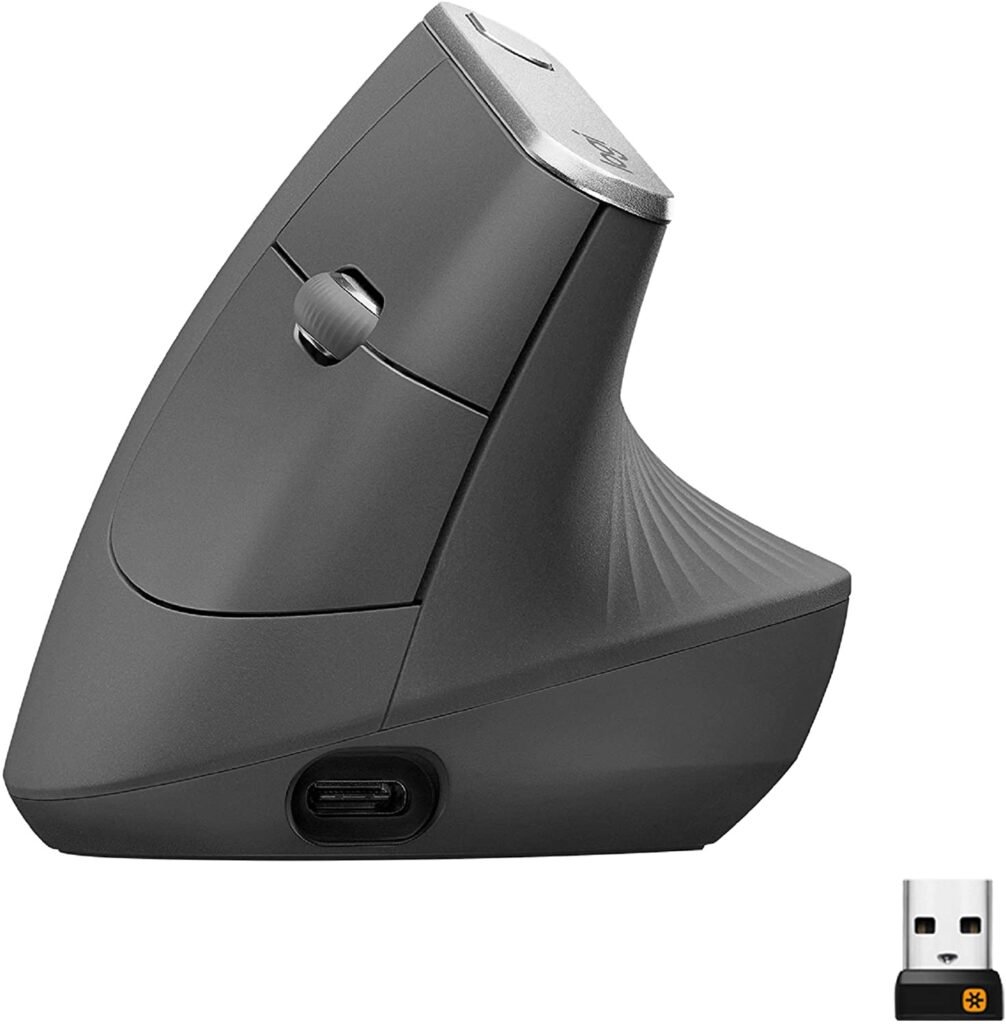
In our comparison, the Logitech MX Vertical is by far one of the best wireless vertical mice ! Its natural hand and muscle position, along with its precise 57.5° angle, make it a perfect replica of the hand at rest. All Logitech products offer the best vertical mouse experience on the market. Of course, these extra features don't come cheap, and while it's still expensive for a mouse, it's not expensive for your health!
This is an excellent choice for anyone looking for an affordable ergonomic mouse. Equipped with a USB rechargeable battery, it can provide up to 4 months of battery life on a full charge. The fast charging system only requires one minute of charging to restore three hours of battery life!
The undeniable advantages of the Logitech MX Vertical: Designed by ergonomics experts and tested for various uses (gaming consoles, office work, document processing), high-precision sensor: no lag between the mouse and the computer. Material with a comfortable texture and low latency. We invite you to discover our review of the Logitech MX Vertical mouse .

4. Logitech MX Master 3 Advanced
Features and Reviews
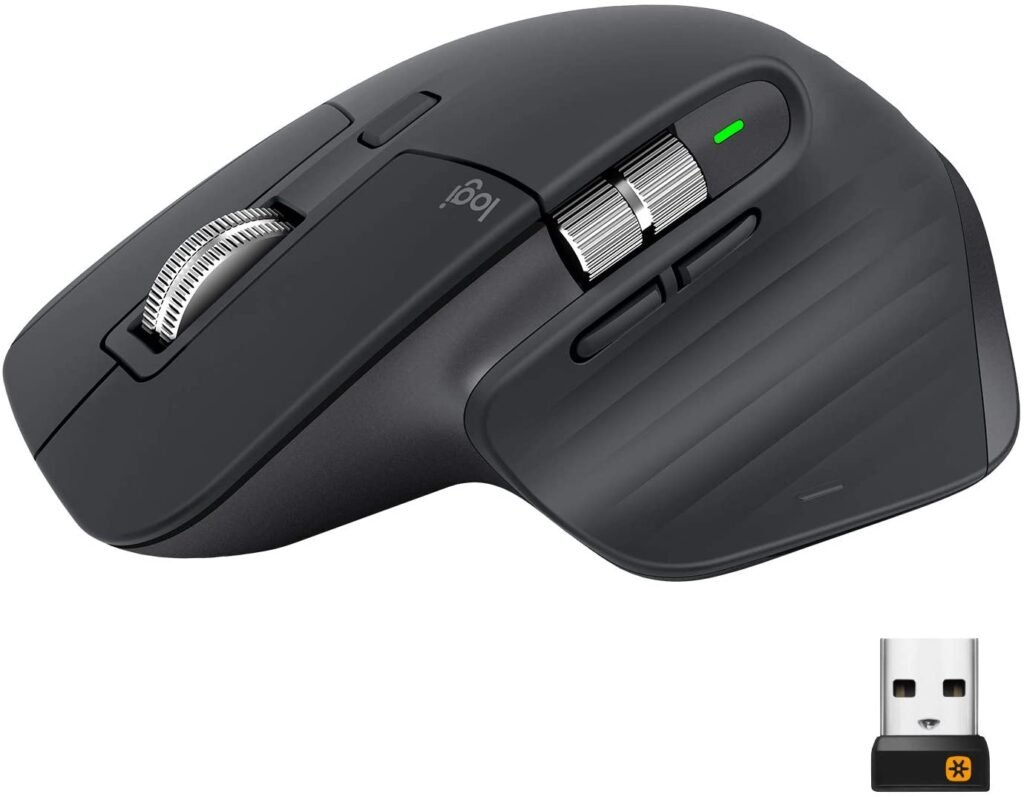
The Logitech MX Master 3 mouse features numerous improvements over its predecessor. Its shape is designed to fit comfortably in your hand, and its 4000 DPI Darkfield sensor will track you precisely on all surfaces, including glass.
It features two scroll wheels and seven ergonomically positioned buttons that can be programmed with Logitech Options software for faster operation in your favorite applications. Connected via Bluetooth, the Logitech MX Master 3 allows you to connect up to three devices and switch between them with the touch of a button. It also includes a Unifying USB receiver for single-device use.
The Logitech MX Master 3 wireless mouse is powered by a rechargeable battery. You can charge it via its USB-C port. It can be used for 3 hours after a one-minute quick charge and up to 70 days when fully charged. Read our review of this wireless mouse here .

5. Logitech MX Master 2S

Features and Reviews
The Logitech MX Master 2S is a premium desktop mouse with a remarkably intelligent ergonomic design that perfectly accommodates both thumbs and palms. Wireless and Bluetooth-enabled, it allows you to work on multiple computers simultaneously. Its dual-scrolling system completely transforms on-screen page scrolling.
It connects to the computer via a USB receiver and also has a Bluetooth connection. It can be charged via a cable and its battery life can reach up to 70 days; just 4 minutes of charging is enough for a full day. The mouse's Bluetooth connection allows it to pair with up to 3 devices simultaneously.

6. Razer Viper Ultimate
Features and Reviews
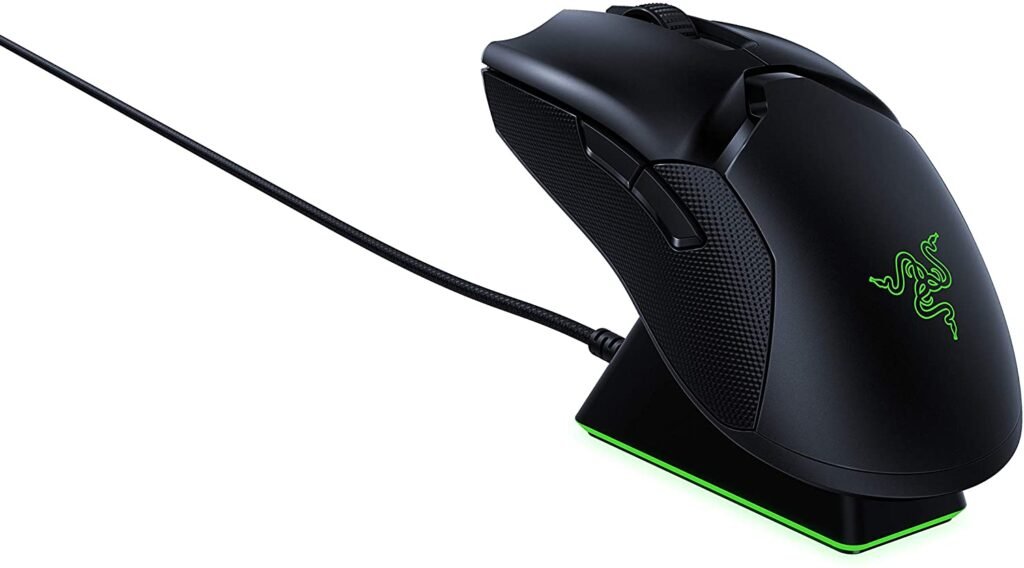
The Razer Viper Ultimate weighs only 74 grams, making it the lightest wireless gaming mouse in this selection. It directly competes with the Logitech G Pro Wireless, sharing a smart design and lightweight feel. This design makes it an ideal choice for competitive FPS/TPS gamers.
The Viper Ultimate is comfortable and maneuverable, featuring a 20,000 DPI Razer Focus+ optical sensor, adjustable lift-off distance, and up to 70 hours of battery life. This model also comes with a charging dock, so you'll never run out of power. If you have the budget, it's definitely one of the best wireless gaming mice available.

7. Logitech G903

Features and Reviews
The Logitech G903 HERO wireless mouse is an evolution of the famous G900, which not only has the main features, but also improves its sensors and battery life.
With its intelligent design, the mouse can accommodate both right- and left-handed gamers, and the button layout can be adjusted to your preferences. The mouse can be configured with up to 11 shortcut keys, making it a highly versatile model for both gaming and office use.
In terms of performance, with its 1K 16K HERO sensor with a 1-millisecond tracking time, a battery life of 140 to 180 hours, and even wireless charging compatibility with the Logitech PowerPlay system, there's nothing to complain about. For those interested, here's our latest review of the Logitech G903 Hero gaming mouse.

8. SteelSeries Rival 650
Features and Reviews
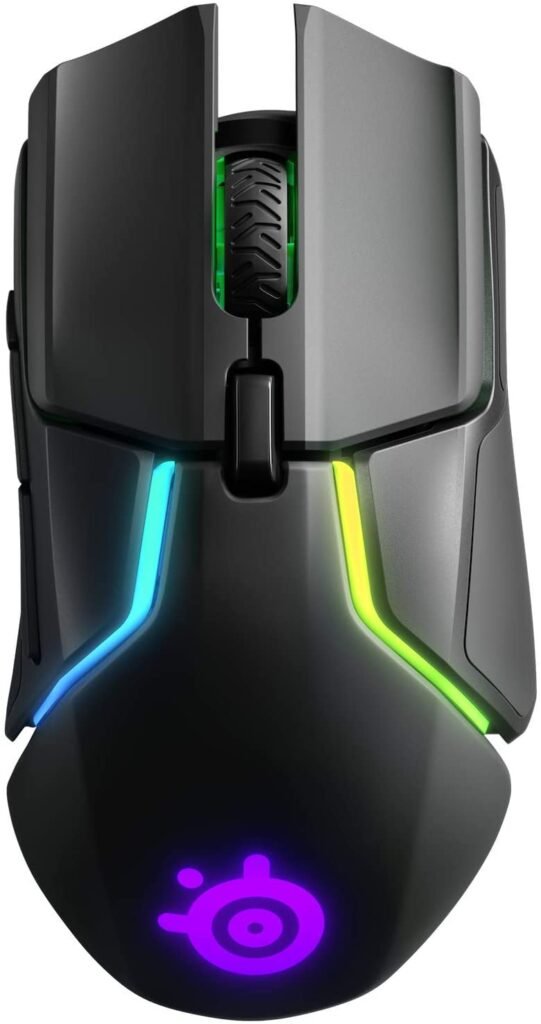
The SteelSeries Rival 650 is the brand's only wireless gaming mouse, which is a significant advantage given its price point of around €100. The mouse boasts an exquisite design and is only suitable for right-handed gamers. Its weight system allows for easy adjustment (121 to 154 g) to suit your preferences.
There are also 7 programmable buttons (the first 3 on the left), several RGB backlighting zones, and a dual-sensor system. The first sensor handles only tracking, while the second allows for precise adjustment of the lift-off distance.
9. Logitech G603 LIGHTSPEED

Features and Reviews
The LOGITECH G603 wireless mouse features a new Hero optical sensor that delivers smooth, filter-free, and pixel-rounding-free rendering from 200 to 12,000 DPI, offering excellent performance. Because every second counts in gaming, you can use shortcuts to program the mouse's six customizable buttons for maximum efficiency.
The Logitech G603 EWR2 is a wireless mouse powered by two batteries and offers up to 500 hours of continuous use. You can switch between HI (High) and LO (Low) modes with a single keystroke, allowing you to manage battery life. Therefore, when you stop playing, you can use the lower power consumption mode to extend battery life.
It's ergonomic and fits perfectly in the shape of your palm. You can adjust the weight by inserting one or two batteries without affecting performance. You can also freely choose the battery placement to optimize the center of gravity for your gaming style. If you're interested in buying it, we recommend reading our review of the Logitech G603 mouse .
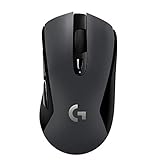
10. Corsair Harpoon Wireless RGB

Features and Reviews
The Corsair Harpoon Wireless RGB, priced at around €50, is one of the most affordable wireless gaming mice on the market. This model uses the same design as its wired counterpart, but its very compact size may not suit all gamers. It features a DPI button behind the scroll wheel and two additional buttons on the front.
It can be connected wirelessly via 2.4 GHz (with a USB dongle and a 1-millisecond response time) or directly via Bluetooth (not recommended for gaming). In terms of performance, the PMW3325 10,000 DPI optical sensor is very efficient.

FAQ—Discover all the details about wireless gaming mice

Our comparison may have already helped you. But with so many mice available, you might still be unsure, or hesitating between two! In this "FAQ" section, you'll find all the details you need to choose the one that best suits your needs. The following is a list of important points that will help you buy the right wireless gaming mouse and use it correctly.
The advantages of a wireless mouse
- When used with a Bluetooth keyboard, the wireless mouse will provide you with a clean and tidy desk without cables running everywhere;
- A wireless mouse will allow you to play from anywhere in your room;
- Since you are not tethered to the USB port with a cable, you can make larger movements;
Good to know: Speaking of mouse movements, there's now a solution to prevent the mouse cable from causing problems in any situation! Bungee cable holders for wired mice are available. We invite you to learn more through our comparison of bungee mice .
How to choose the right wireless gaming mouse?
Reactivity

Whether they use Wi-Fi, Bluetooth, or Logitech's Lightspeed technology, today's high-end wireless mice can deliver response times in milliseconds. This responsiveness allows movement to be reproduced on the screen without any perceptible lag.
Number of programmable buttons
This is perhaps the biggest difference between a traditional mouse and a wireless gaming mouse. In addition to the usual left and right buttons, you'll find at least two other buttons. Depending on your gaming style, the number of buttons you need will vary. For FPS enthusiasts, four or five buttons are generally a good choice. On the other hand, MMO players prefer a mouse with a large number of programmable buttons so they can assign all the shortcuts and macros they need.

Charging and battery life
Well, battery life is the only consideration for a wireless mouse! Those who were "lucky" enough to use the first battery-powered models will surely remember the fear of the mouse dying mid-game. Most of today's wireless mice are hybrid models that can be quickly plugged into a USB port to avoid interruptions. Nevertheless, long battery life will undoubtedly provide greater comfort for users.
Weight
To avoid wrist strain, gamers are generally advised to use a lighter mouse. However, this is largely a matter of personal preference, and some people prefer a heavier mouse for a better grip. That's why some wireless gaming mice are modular and can be fitted with additional weights.
Sensor
The accuracy of wireless mice depends on the quality of their sensor. A good sensor will perfectly and smoothly translate hand movements without unwanted acceleration or jerkiness. Today, most gaming mice are equipped with sensitive and high-performance sensors. The only difference lies in the DPI setting and the type of sensor.
What is the difference between a laser sensor mouse and an optical sensor mouse?
When using an optical gaming mouse, the cursor's movement on the screen depends on the image captured by the LED, which emits light onto the surface and is transmitted through lenses to the sensor. The sensor only needs to analyze the surface's roughness to calculate the trajectory and transmit it to the screen. The principle of the laser mouse is the same as the optical mouse, but the light beam used allows the sensor to receive a clearer image. Consequently, the cursor movement will be more precise. For this type of technology, the use of glass mats (or surfaces) is not recommended.
Whether it's a laser or optical mouse, if you want your entire desk to be adapted to it, we recommend choosing an XXL gaming mouse pad .

What DPI should a wireless gaming mouse have?
The key value to consider is the resolution in DPI (dots per inch). The higher the value, the more precise the mouse. Above 4000 DPI, your mouse will start to make a difference. In short, a mouse with a high DPI will have its cursor move quickly after barely executing a cursor movement. Conversely, a mouse with a lower DPI will need to move further across the mousepad to achieve similar results. Keep in mind that to get the most out of a good gaminG mouse, a good mousepad is essential!