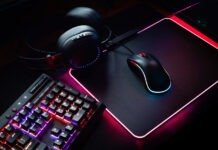
There are many accessories available to create your gaming PC setup . Some are essential, such as your tower, which will house your PC components, a monitor, a keyboard, and a mouse. All of this means a lot of cables that can get tangled and pinched on or under your desk.
Have you ever had to pull your mouse cable because you didn't have enough slack to move your mouse freely ? If so, know that there is a solution to this problem: the bungee cable holder.
Discover our selection of the best bungee cable supports!
Things to know before choosing your mouse bungee!
Before making your choice, consider these 3 criteria:
- A bungee cord holder isn't essential for every computer user. However, it can become indispensable if you're a gamer who wants precise and unrestricted movement with a wired mouse. The bungee cord lifts your mouse cable, providing slack and preventing it from dragging on your desk and hindering smooth movement.
- Some bungee cable holders include a USB hub , which is very useful for connecting peripherals that you use or change frequently. This could be an external hard drive, USB flash drives, or even your wired mouse, keyboard, and headset.
- If you choose a bungee mount that uses LED lighting or acts as a USB hub, make sure you have a free USB port to plug it into your camera , otherwise you won't be able to use these options.
Comparison of the best mouse bungee cords!
We've compiled a list of 5 bungee mice that we consider formidable in both price and quality. Ideal for intensive use at your PC! After this comparison, if you'd like to learn more, a buyer's guide and FAQ await you!
The 3 best mouse bungees in our ranking!

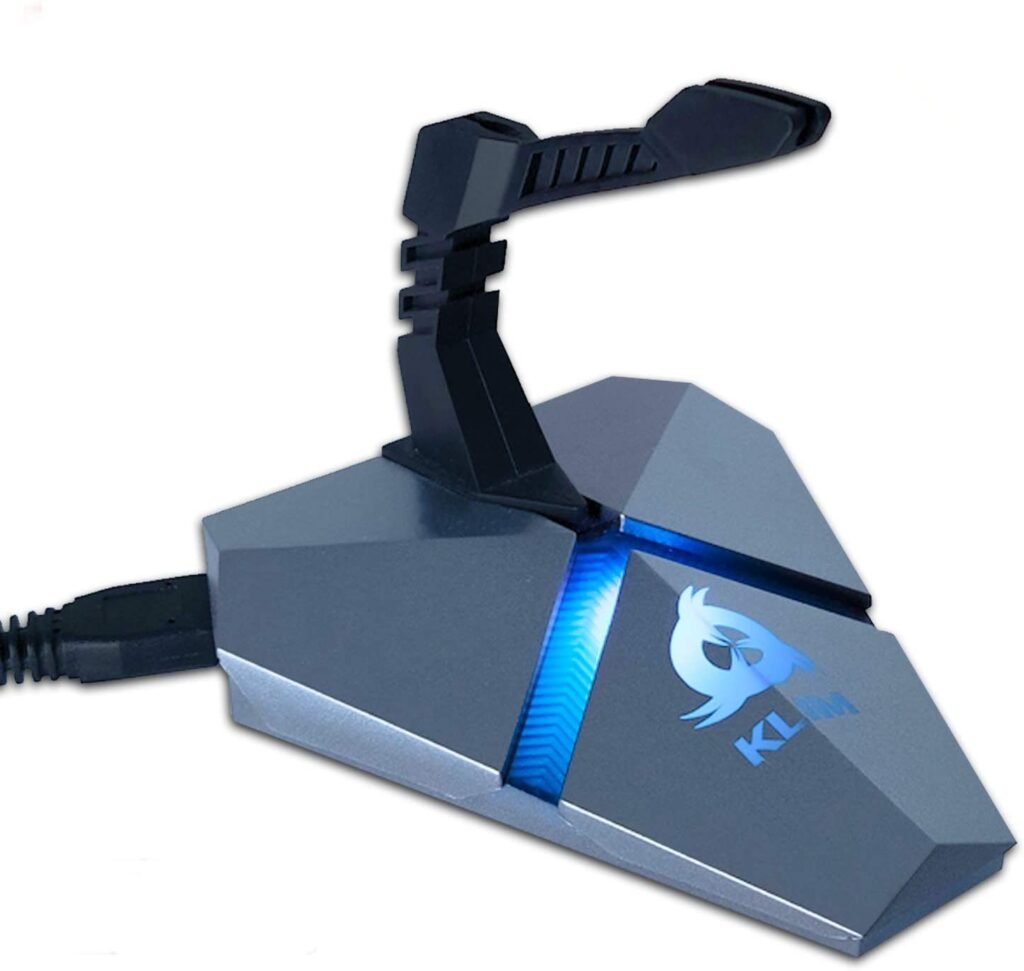
1. The KLIM Bungee: The best cable support: robust and complete
Features and Reviews
Our top pick is the KLIM gaming mouse cable holder. With its detachable and fully flexible arm, it allows for perfect control of your wired mouse's movements. It can also be used as a USB hub for laptops thanks to its three USB 3.0 ports with transfer speeds of up to 5 Gbps. Furthermore, KLIM has integrated a TF/Micro SD card reader into its bungee mount, perfect if your smartphone or camera uses one. Finally, RGB backlighting automatically changes colors on its base.
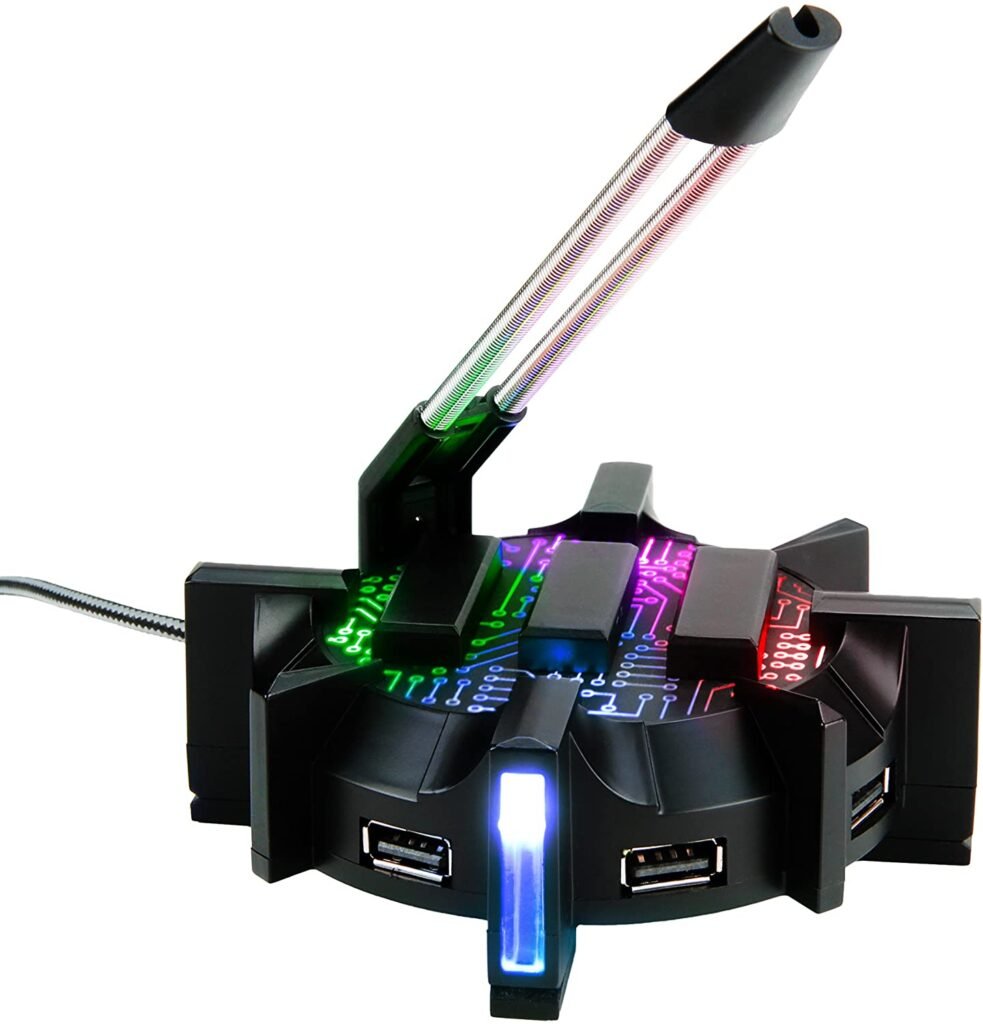
2. Bungee ENHANCE: A cable holder with a customizable USB hub
Features and Reviews
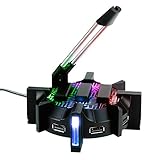
The ENHANCE bungee cable holder will definitely stand out on your desk. With its ambient LED lighting on the sides, top, and bottom, offering seven different modes (red, blue, purple, green, light green, dark green, yellow, and multi-color), you can personalize it to suit your taste and mood. The cable holder itself is flexible and detachable, allowing for smooth mouse movements thanks to a spring mechanism. Finally, you can connect numerous peripherals to the ENHANCE bungee using the four integrated USB 2.0 ports.
3. Bungee MHHPRO: A tower with integrated headset support, RGB LEDs, and USB hub
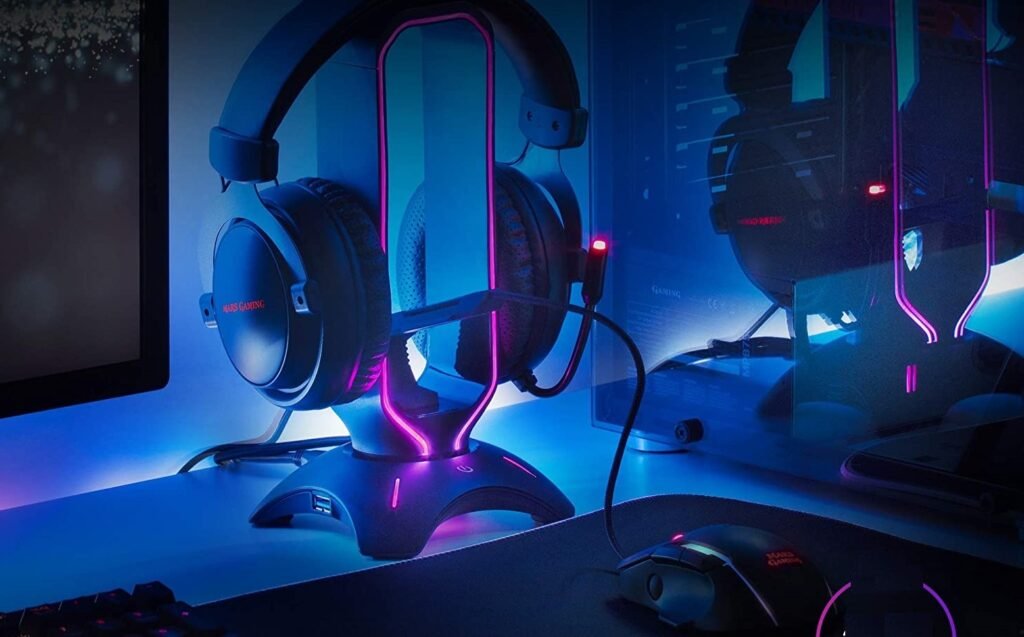
Features and Reviews
The unique shape of the Mars Gaming bungee comes from its 3-in-1 function. In addition to the cable management feature found on all other bungees, the MHHPRO has a headband that can hold your gaming headset. Simply place your headset on top to store it and save space on your desk. Another advantage of this storage solution is that it protects your headset from damage when not in use.
Finally, the MHHPRO features two USB 3.0 ports for connecting your gaming headset or keyboard. If you wish, you can also adjust the LED display using a touch button on the front to choose from eight different lighting modes and seven available colors.

4. Razer Mouse Bungee V2: Razer quality for guaranteed results !

Features and Reviews
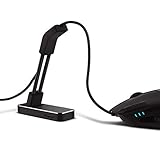
You're probably familiar with Razer, a brand specializing in gaming peripherals. This cable holder is no exception to their commitment to providing gamers with functional, high-quality equipment. Their Mouse Bungee V2 is understated yet allows you to maintain control of your mouse thanks to its flexible, rust-resistant arm. Furthermore, its feet are non-slip and its weighted base provides enhanced stability for your bungee.

5. Stageek bungee: An inexpensive cable support

Features and Reviews
Our final choice is for those on a budget who still want a cable management solution. The Stageek bungee will keep your mouse cable out of the way and provide improved stability and precision. Thanks to the adhesive strip on the bottom, you can attach it to your desk and maintain control of your movements. Its compact size makes it ideal for smaller desks, even those with limited space.
The buyer's guide to buying a bungee

Check the weight of the bungee
This is one of the most important factors when choosing your bungee cord. Its weight will greatly determine its stability during quick and sudden movements. The heavier it is, the better it will be able to withstand changes in direction of your mouse cable. This is especially important if you play FPS games, which demand high responsiveness and rapid left-to-right movements.
Ideally, choose a cable support weighing around 180 grams . This will be sufficient to prevent it from moving. Some bungee cords have a weight inside the structure to further increase stability.
Consider additional fixings
To increase the strength and stability of their bungee, manufacturers add one of three existing extra attachment points. These contribute to the overall weight of the mount, providing a more secure position against rapid mouse movements.
Adhesive tape
The first mounting option is the adhesive strip underneath the base, which is attached by removing its protective film. This is a quick and easy solution that will withstand movement . The only drawback is that it may lose its effectiveness over time. The adhesive can become less sticky with repeated use or due to soiling. We recommend attaching it in one place and leaving it thereafter to ensure a longer lifespan.
Anti-slip grip
The second is an anti-slip pad, also called a grip . This provides superior traction for the bungee cord , preventing it from slipping on your desk . It's particularly useful for up-and-down movements because the force is distributed between the rod where your cable is attached and the front of the bungee cord, which holds the entire support in place to prevent it from falling. It's also useful for horizontal movements but will be most effective if the base is V-shaped. Similar to vertical movements, the ends of the V will provide support to absorb the force of the movement.
Suction cup
Finally, the third mounting option is a suction cup. This system, while unusual, is incredibly effective at keeping your bungee firmly in place. Thanks to the air pressure between your desk and the suction cup's rubber, your bungee will be impossible to remove . With this effect, the rod can make any rapid movement, and the base of your bungee won't fall unless a little air gets trapped inside. This is why you can't use this type of mounting if your desk has a rough surface . It must be flat and airtight to prevent air from entering the suction cup.
As you've probably gathered, an additional bracket, regardless of its type, will support the weight of your cable holder, providing greater stability. Choose the option that best suits your needs and setup .
Choose its visual wisely

Some people appreciate a minimalist gaming setup, while others prefer LED lighting and bolder colors. It's a completely personal choice. However, it's sometimes important to consider the overall aesthetic of your setup and ensure it's visually appealing. Too much light can spoil the effect.
Furthermore, if you're a gamer, concentration during your games is a crucial factor in your performance. If your LED lights are too bright or change color frequently, they can be distracting. This can cost you dearly in the middle of a game, whether it's for your life or your victory. Since your bungee cord will likely be in your field of vision near your screen(s), choosing the right one is essential.
While cable management systems with integrated LEDs are undeniably attractive and customizable, they can also be distracting. If you absolutely must have one, try to position it where it will least disrupt your concentration.
Here are some RGB mouse bungees you shouldn't miss!
Find him a place
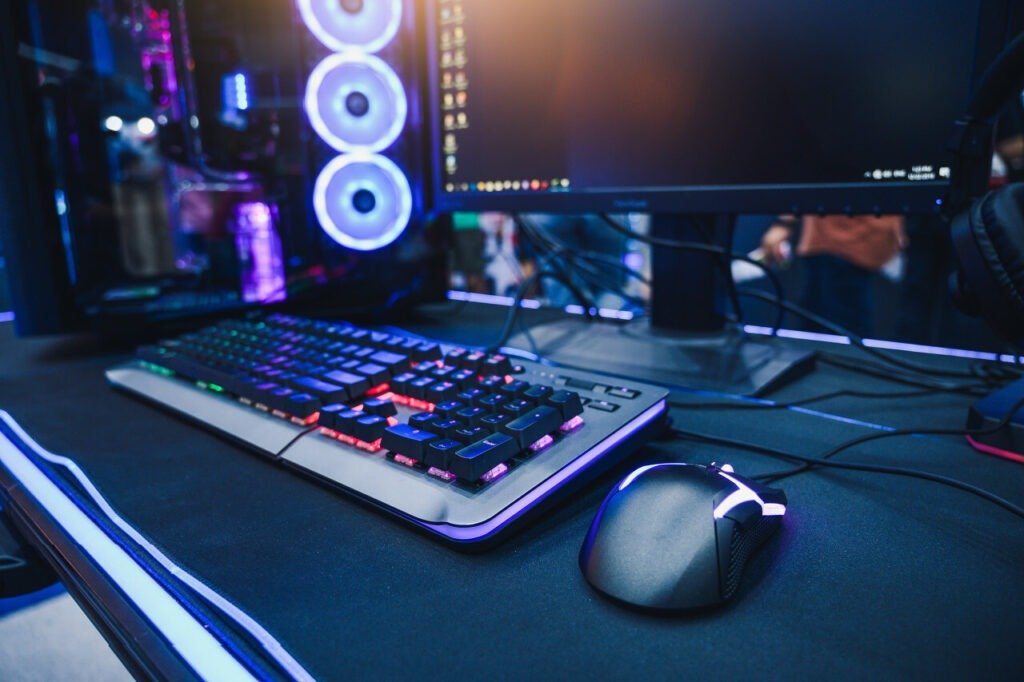
As mentioned in the previous point, the position of your bungee cord is very important for your concentration, but not only that. Other factors must be considered when setting up your device.
Left-handed or right-handed?
First, determine whether you are right-handed or left-handed. This may seem obvious, but it's always important to consider. Depending on your answer, you'll know where to place it: on the right if you are right-handed and on the left if you are left-handed.
You'll need to make space for it and ensure it allows enough slack for your mouse cable without damaging it. Ideally, leave about 1 to 4 cm of space between your mouse pad the cable, as the flexible arm protrudes slightly from its base. Another way to position it depends on the surface of your desk.
Leave a few centimeters of space between them to avoid the feeling of concentrating all the components of your setup. The more open your space is, the better you'll feel!
Big gaming setup – What to do?

If you have a second monitor, or even several, you'll need to position your mouse pad and bungee cord slightly off-center. This will allow you to have a full view of your screens without restricting your freedom of movement.
If you don't have enough space on your desk, try setting up your second monitor opposite your mouse. This way, your bungee cord won't be in the way. As a final solution, if you have a setup with a main monitor in the center and two monitors on either side, raise them so the bungee cord isn't at the same level as your video monitors.
Accessibility to connectivity
If you've opted for a bungee with a USB hub, in addition to the points mentioned earlier, you have another issue to address: the accessibility of the ports. Indeed, the advantage of having USB ports on your bungee is that you can use them more easily than on your PC case. However, to ensure this remains an advantage, you must make sure they are easily accessible.
Your cable management system should therefore be close enough to your hands when you're seated so you can easily plug and unplug connected devices. Whether it's USB drives, an external hard drive, an optical mouse, a mechanical keyboard, a gaming headset, or even an SD card, it's much more convenient to have them within easy reach rather than having to get up or bend down to unplug and change them.
Adapt your bungee to your wired mouse
Some bungee cords don't accommodate all cable thicknesses. Depending on the characteristics of the rod and its end fitting, you might not be able to attach your mouse cable to the bungee . This is quite rare, however, as most cables are similar and the same thickness. On the other hand, if your cable is outside the standard range (more than 3 centimeters), it might not be able to be secured.
Some bungee models feature attachments behind the rod or base. This prevents the cable from trailing too much and also provides increased resistance when you move your mouse up and down. With your cable secured at the top and bottom of the rod, your bungee is less likely to tip forward, thus improving its stability.
On a budget? Here are the best prices for your bungee!
FAQ

What are the advantages of a bungee cord?
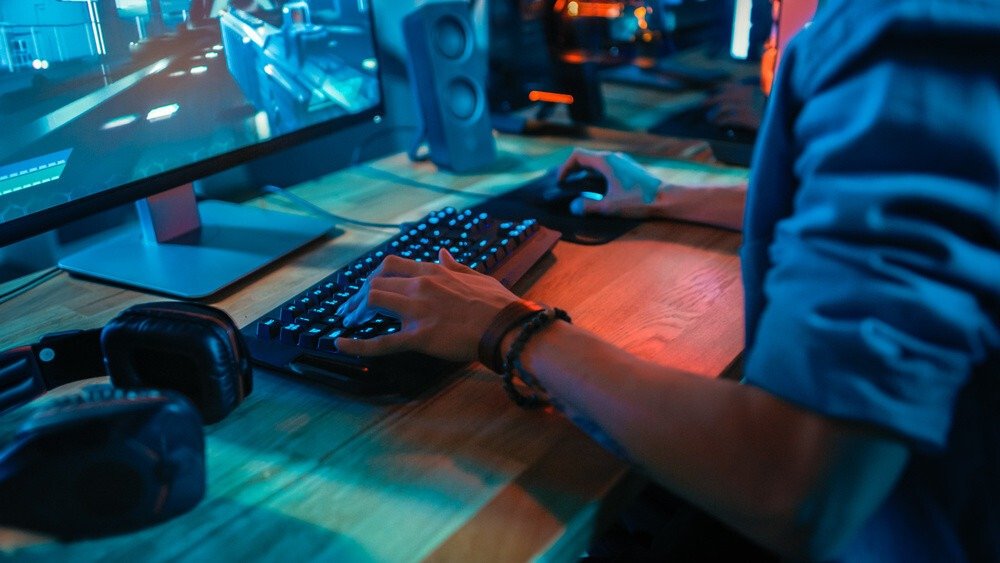
The usefulness of a bungee cord might seem difficult to grasp at first glance, however, it remains an essential accessory for gamers who want to improve their performance. Even if you only use your computer for office work, you can find a use for a bungee cord.
No more struggling with your mouse cable!
Firstly, it allows you to avoid constantly pulling on your mouse cable . Nothing is more annoying than pulling on it because most of the length is under your desk and therefore inevitably falls.
By using a cable holder, you can attach it to a rod, usually made of springs. With the rod raised about 5 centimeters above the table, you'll no longer feel the weight of your mouse cable and it will feel like you're holding a wireless mouse .
The slack between your mouse and the end of the shaft allows for greater freedom of movement without requiring more cable. Thanks to the shaft's flexibility, it will bend to follow your movements while keeping the clipped section securely attached.
Make your movements easier with your mouse!
A second advantage is increased precision in your movements . Without the resistance or tension of a cable, you can perform faster and more precise movements. This is especially useful for games that demand this kind of responsiveness, such as FPS or MOBA games . By improving your reaction time, you enhance your skill level and gain a significant advantage over your opponents, particularly since these types of games are sometimes decided by milliseconds and pixels.
For optimal organization!
The third advantage concerns the organization of your desk with much better cable management . Indeed, a taut mouse cable, instead of snaking across your desk, will give the impression of an organized and optimized setup. That's not all; as explained in the section "Choose your look wisely," you'll have a clearer and more organized mind, free from distractions. While the level of distraction isn't the same between a messy cable and a flashing light, it's always more pleasant to play in a tidy space.
What type of mouse should I use?

The main advantage of a bungee cable holder is its ability to secure your mouse cable to it, so it makes sense to buy one if you have a wired mouse. We therefore recommend using this type of mouse for several reasons.
A wired mouse, obviously…
They are more responsive and sensitive than wireless mice , giving you an advantage over a player using a Bluetooth mouse. While Bluetooth mice are constantly improving, wired mice remain a reliable choice for achieving better performance during your gaming sessions.
With faster and more stable data transmission, you will perform better using a wired gaming mouse.
The vertical mouse for an ergonomic grip
An ergonomic vertical mouse is a new type of mouse with a different shape than traditional models. It adapts much more easily to your hand and prevents wrist pain after prolonged use. Indeed, its design promotes a more natural hand posture by positioning it vertically, offering greater comfort than a traditional mouse and reducing strain on your tendons.
However, pay attention to the mouse's response time. If you're a gamer, opt for a wired, ergonomic vertical mouse.
A gaming mouse for enhanced functionality.
If you want to maximize your performance, we recommend choosing a PC gaming mouse. The technologies used in these mice are far more advanced and sophisticated than those found in mice designed for basic office tasks.
Opt for a lightweight mouse with advanced motion tracking. It might seem like a small difference, but it plays a crucial role in gamers' performance. Improved responsiveness and precision make a significant difference in FPS or MOBA games.
MMORPG players will likely prefer a gaming mouse with customizable buttons, allowing them to assign specific keys to each button for faster in-game actions. While less expensive than a standard mouse, there are budget-friendly PC gaming mice .
Don't forget your mouse pad!
Also consider using your mouse with a mousepad, whatever type you choose. They improve optical readability for wireless mice and make movements smoother.
Some of them have a wrist rest to support it and make the position of your hand more comfortable.
Others offer very large models! See our selection of the best XXL mouse pads .
With or without a USB hub?

As you may have noticed in our selection, some cable holders have a built-in USB hub . This is a very useful but not essential feature that depends entirely on your needs.
If you're looking for a simple cable holder, then the included USB ports might seem like "gadgets" with little practical use, but don't be fooled!
More ports to connect multiple devices!
However, having a USB hub is very useful if you frequently plug and unplug external devices . In addition to saving you from having to access the USB ports on your computer case, you'll also gain more usable ports. You will still need an available USB port on your computer to use it, but it will at least give you one extra port. When choosing a cable management system with USB ports, consider these criteria: the quality of the ports, their technology, and their accessibility.
The first criterion is one of the most important, since investing in a low-quality USB hub could leave you with unusable ports. While manufacturers usually pay attention to these details, the choice of materials may not adequately protect the USB ports. Therefore, it's best to prioritize quality when making your purchase.
Which USB type should I choose?
There are several types of USB: 2.0, 3.0, 3.1, and Type-C . The difference between them lies in the data transfer speed; the newer the technology, the faster the transfer. Currently, no bungee devices support Type-C, so the vast majority of them offer 2.0 or 3.0 ports.
Easy access to ports
The final criterion to consider is accessibility from a seated position. The advantage of having USB ports on your bungee is that you can easily access them without having to get up or move devices. Therefore, check that the USB ports on your chosen bungee are located at the front , or even on the sides. This will make access easier and prevent you from having to twist your wrist to plug in a device.
Quality above all!
By choosing a high-quality bungee designed specifically to support your cable, you can ensure that in most cases it will do its job. Therefore, base your choice on these three criteria: sturdiness, an additional fastening system, and, if possible, an adjustable rod .
For durability,
the first feature will ensure it stands the test of time and use, while also keeping your cable slack. If you're choosing a bungee solely to support your mouse cable, you're likely looking for performance through improved responsiveness and greater freedom of movement. It's precisely this initial sturdiness that will achieve these two objectives.
Additional fastening system
The second method enhances the effectiveness of the first. By using an additional fastening system such as adhesive tape, a non-slip pad, or a suction cup, you can create a bungee that will stay firmly in place on your desk. Position it optimally, either a few centimeters from your mouse or next to your mousepad. To find the best solution for your needs, refer to the section "Consider Additional Fasteners.".
Adjustable stem
The third criterion to consider if you only want a bungee cord for its primary function is the availability of an adjustable rod. Some cable holders have this type of rod to adjust its length to your needs. For example, if your mouse is quite far away, you can extend the rod to its maximum for greater comfort.
However, if your desk is smaller, shorten the bungee cord so the end isn't positioned above your mouse. Otherwise, it might restrict your movements and you'll lose the advantage of having slack at a comfortable distance. Finally, a retractable rod will allow you to store and transport your bungee cord more easily without risking damage.
How long can they resist?
The lifespan of your cable holder will depend first on its quality and second on how you treat it. On average, your bungee will be functional for 1 to 2 years , or even longer if you take care of it.
Quality is the main reason, as a bungee made of low-grade materials is more likely to get damaged or even break. Furthermore, keep in mind that a sturdy bungee will be more durable and less vulnerable to impacts.
The right steps to keep it going for a long time!
To increase the lifespan of your cable holder, you'll need to take (minimal) care of it. No need to pamper it every day, but you should pay attention to a few details: the condition of the rod and its end cap, its fastening system , and finally, how you use it. The most stressed part of your bungee is the rod and the clip that secures your cable.
Although generally durable, you should still monitor it, as well as your attached mouse cable. As explained in the section "What type of mouse to use?" A significant difference in thickness between the wire and the end cap could damage the former. The attachment system (adhesive tape, anti-slip pad, or suction cup) should be inspected if you frequently move your bungee cord; otherwise, it's not necessary.
Finally, be careful not to mistreat your bungee cord. Although it's designed to withstand sudden movements, position it in the best location for optimal performance and ease of use . Additionally, if your bungee cord has a USB hub, take care when connecting your devices and be mindful of any spills.