Gaming headphones are essential gear for all gamers, offering precise sound for a successful gaming experience. Have you ever thought about buying them without breaking the bank? The market offers many models under €100, allowing you to enjoy quality games without worry. But are all models created equal? Certainly not!
Discover in this article a selection of the best budget gaming headsets, all priced under €100. At this price point, you'll have to forgo some features, but generally, the models we recommend will satisfy your gaming needs. A buyer's guide is also available to help you understand all the key factors to consider when choosing an affordable gaming headset.
1. Logitech G PRO X
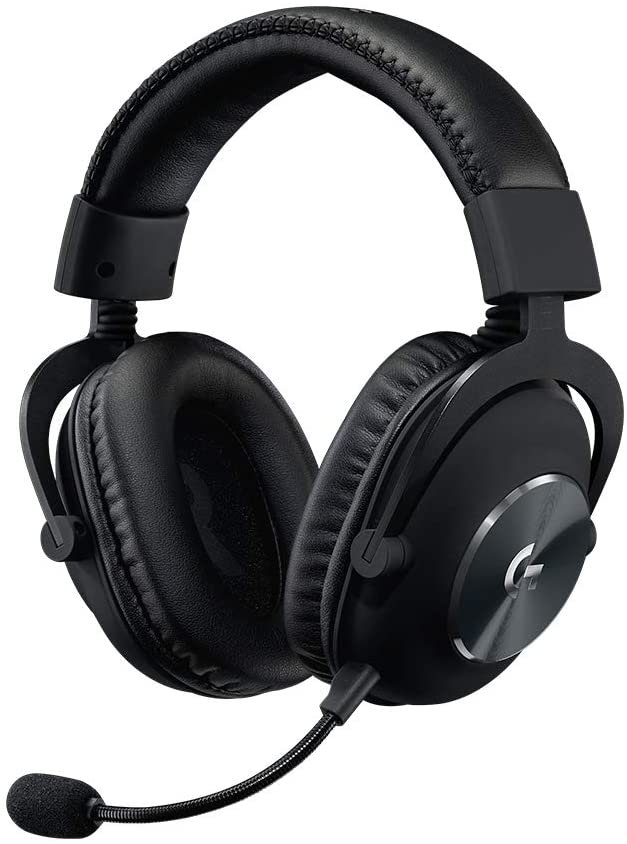
Features and Reviews
Looking for a versatile gaming headset, especially one under €100? The Logitech G Pro X is just what you need. Available on Amazon for €89.66, this headset was developed with input from top professional gamers. As you might have guessed, the Logitech G Pro X is designed for esports, and especially for competitive play. Its compact design has been completely revamped and benefits from the expertise of BLUE, a manufacturer known for its microphones.
Design and ergonomics
The Logitech G PRO X headset has undergone a significant design update. The product now boasts a sleek and elegant style, a stark contrast to its predecessor, which suffered from somewhat unreliable build quality in our opinion. Here, the manufacturer has opted for a design reminiscent of the Cloud Alpha and HyperX headsets, avoiding plastic altogether.
This is a product that will go wherever you go, thanks to its discreet design. The headband, made with a metal band, gives these headphones a certain sturdiness. Flexibility is also a key feature.
What's in the box?
The package contains, of course, a Logitech G PRO X headset, another pair of foam ear pads, an external USB sound card, a 2mm cable with remote control, a Y-adapter with 3.5mm connectors… A user manual is also included to provide greater ease of use.
The manufacturer is wise to include a padded carrying case for easy transport of all the components. Honestly, at this price, you couldn't expect more. Furthermore, the headset features 50mm PRO-G drivers, 10mm larger than the previous model. This means you can use it in stereo or virtual surround sound, depending on your games and preferences.

2. Hyper Cloud Alpha

Features and Reviews
This product is a sure bet. Although offered at an affordable price, it promises significantly better performance than some models in its generation. It's ideal for those looking for a gaming headset around €100. The HyperX Cloud Alpha aims to surpass even the most popular models like the Cloud or Cloud II. This product, which we highly recommend, is the perfect blend of durability, performance, and comfort. With its memory foam ear cushions, aluminum headband, and fully detachable cables, you can take your gaming headset with you wherever you go.
Design and ergonomics
The HyperX Cloud Alpha boasts excellent comfort and even greater durability. Its design is a continuation of the Cloud and Cloud II headsets, recognizable by its similar look to the older versions. While its overall design is quite understated, this entry-level model is sure to appeal to many video game enthusiasts.
In terms of ergonomics, the HyperX Cloud Alpha offers a real sense of confidence. Its weight of 289g makes it an ultra-light headset, even though the metal headband gives it a slightly more robust design.
Features and performance
Regarding features, their number still needs improvement. For example, HyperX would benefit from designing a model with dedicated software for adjustments. With the HyperX Cloud Alpha headset, you won't be able to configure an equalizer or create different listening profiles depending on the type of game or music you're playing.
It's also regrettable that the headset doesn't offer virtual 7.1 surround sound compatibility, unlike the Cloud II model. In terms of performance, the headset incorporates 50mm drivers. The response time varies from 13 to 27 Hz.

Steelseries Arctis 3
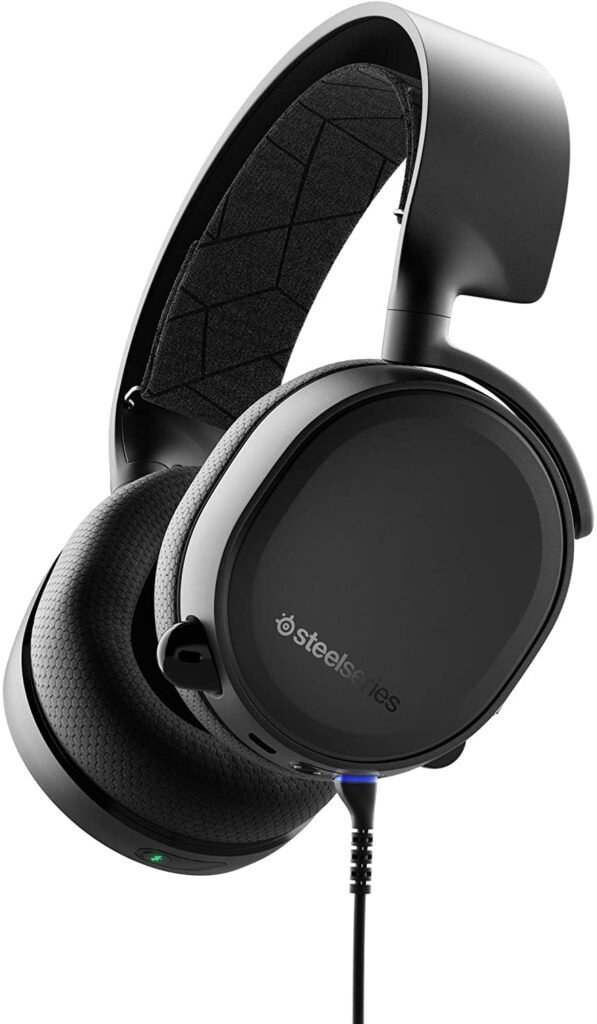
Features and Reviews
This gaming headset, in addition to being available at a low price, is appreciated for its versatility. Equipped with Bluetooth connectivity, it stands out from many models of its generation thanks to its wireless connection. Its versatility is further demonstrated by the fact that it can be used with a cable, whether on PC or console, but its Bluetooth connection offers even greater flexibility.
Design and ergonomics
This headset is available in two color variations. You'll find models in stores in a dark shade or a lighter shade. With the customization buttons underneath, you can personalize this gaming headset to your liking.
The SteelSeries Arctis gaming headset is primarily made of plastic. Given its high quality, the product is designed to be both robust and sturdy. The headband is reminiscent of the classic SteelSeries Arctis 3, with its suspended headband system and ear cushions that keep your ears cool.
Software and performance
The SteelSeries Artis 3 brand generally designs gaming peripherals compatible with its SteelSeries Engine 3 software. The software is free and can be found on the manufacturer's website. However, getting to grips with it won't be easy.
After downloading and installing the app, you'll need to create an account on the manufacturer's platform. This is essential for accessing settings using the SteelSeries Engine3 software. This software allows you to modify various aspects of the headset's sound. You can also adjust features related to microphone use.
In terms of performance, it's quite close to that of the Siberia 840, the brand's top-of-the-line model. This is a significant advantage that suggests even better performance.
Corsair HS35
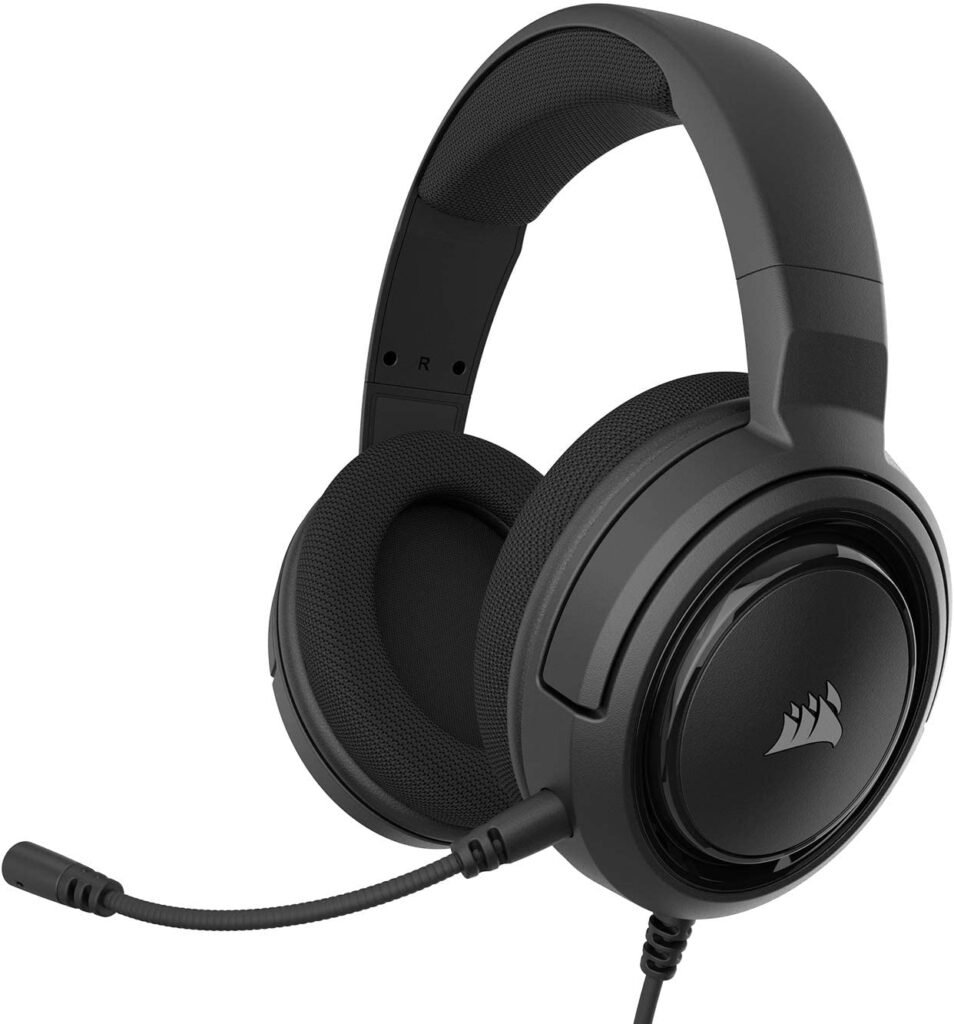
Features and Reviews
Priced under €50, the Corsair HS35 headset is an entry-level model from the brand. However, we appreciate the thoughtful touch Corsair has added in terms of color variety. This headset is the best compromise for gamers on a budget. One of its strengths is its compatibility with various platforms. It works well on both PCs and game consoles thanks to its 3.5mm connection.
This model features a detachable microphone, making it a gaming headset optimized for mobile use. With its 50mm drivers, its sound reproduction isn't bad. However, unlike other Corsair headsets, it lacks 7.1 surround sound.
Design and ergonomics
The attractive price of this Corsair HS35 headset is reflected in the overall design of the product, at least visually. Made entirely of plastic, this headset feels rather fragile, as we discovered upon touching it. However, its memory foam earcups and headband make it a somewhat reliable and durable model.
The fact that it's primarily made of plastic gives it a feather-light weight of 250g. At this weight, you'll have no trouble taking it with you everywhere. Another advantage, though a minor one, is that the headband is made of metal, a fairly rare feature on products in this price range.
Features and performance
Let me tell you right away, this is an entry-level headset. For its price of under 50 euros, you shouldn't expect much. There's no remote control on the cable, but rather on the left earcup. A built-in dial will be very useful for adjusting the volume. This is a nice feature, since generally, at this price point, you won't find a dial, but rather two buttons and a button to mute or unmute the microphone.
Furthermore, there is no software available to customize the sound effects. You will have to make do with the sound available upon delivery of the product.

SteelSeries Arctis 1
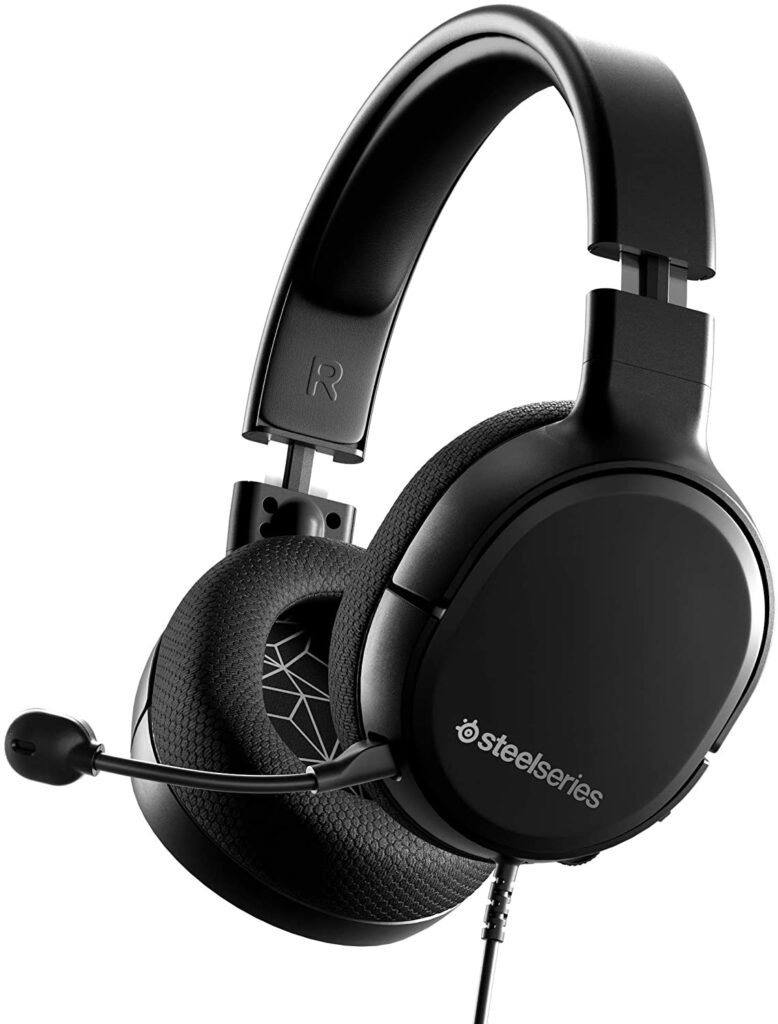
Features and Reviews
Despite the small price difference, the Arctis 1 looks like a very different set of cans from the Arctis 3. The most striking and obvious difference is the headband, which uses a more traditional aluminum frame and is covered in lightweight black plastic. Furthermore, the clamping force around your ears is just about right. It won't budge, even if you make sudden head movements. The headband has plenty of soft padding underneath, but it's not as comfortable as the Arctis 3's.
This entry-level model has the same 40mm speakers, below those of the 2019 edition Arctis 7. Its speakers sound noticeably richer in bass, especially when listening to music.
The low end of kick drums, bass lines, and distorted guitars tends to overpower the more subtle and smooth elements of the mix, something we don't find with the Arctis 7 or Arctis Pro Wireless. Oddly, with the Arctis 1, it almost sounds like a software equalizer is being applied. However, because the headset uses a 3.5 mm connection instead of USB, the SteelSeries Engine software can't actually modify the headset's audio output.

How to choose the right gaming headset?

As mentioned above, a gaming headset is one of the essential tools for gamers, alongside the keyboard, mouse, controller, and other peripherals. Several gaming headset models are available on the market. While some offer wired or wireless connectivity, others are designed for PCs, mobile devices, and more. Choosing the best gaming headset or gaming microphone ensures smooth audio playback from your videos.
This headset also provides the best communication for virtual games. Manufacturers are constantly innovating to design up-to-date models suited to all types of gamers. You can find models with proprietary wireless transmission, virtual spatialization, modular design, RGB lighting, Bluetooth, and more in stores or on Amazon.
Given the vast array of options available online, choosing a gaming headset can seem overwhelming. Therefore, here are some factors to consider before selecting one.
Which platform for which gaming headset?
When choosing a gaming headset, the first thing to do is determine the type of platform you want to play on. During this process, you must ensure that your headset is compatible with the platform you'll be using. It's worth remembering that older gaming headsets were equipped with a single jack.
Newer models now feature confusing connectors and are limited to a single device. However, by choosing a 3.5mm connection, you can use it on both consoles and PCs. Keep in mind, though, that consoles don't support all the features available on a gaming headset, as this depends entirely on the developer's software.
Wired or wireless headphones?
When it comes to choosing the best gaming headset under €100, this question is on everyone's lips. Wireless headsets are becoming increasingly common on the market. Users initially gravitated towards wireless headsets because the sound could cut out during gameplay. Now, older models are equipped with much more advanced technology, rivaling some wired models. With a 2.5 Hz frequency band or Bluetooth technology, a wireless headset can establish a connection with a device connected to a computer or console. However, if you choose this type of headset, you must ensure it is compatible with your platform.
Wired headphones, on the other hand, connect to the device via a physical cable. This is why they are also called wired headphones. Generally, a USB cable or a 3.5 mm jack for your microphone and headphones is all you need. There's no setup required. Simply plug in the headphones and you're good to go. Wired headphones are characterized by their lightness compared to wireless headphones. However, due to the cable length, you won't be able to move them over a certain distance. Another drawback is that the headphones can wear out or break over time.
Ease of use
Your future gaming headset should offer superior comfort. To achieve this, the device must be durable and comfortable to use. Choosing a headset that delivers this performance requires considering several factors. One example is the headband, which supports the headset's weight. In addition to being sturdy, the headband should also be adjustable for optimal comfort around the head and ears. For the earcups, three main elements are important: the material, the model, and the shape. A compact gaming headset is ideal for those with smaller ears.
Sound reproduction
Headphones offer display options that indicate whether they will produce good sound or not. These include stereo mode, virtual surround sound, and dimensional sound. Stereo headphones operate on a fairly simple principle.
It distributes sound between two audio channels. In most cases, stereo headphones are equipped with a 3.5 mm connection, making them perfect gadgets for video games and multimedia. This type of headset is compatible with all kinds of consoles and platforms.
Headphones offering virtual 7.1 surround sound, on the other hand, use software and algorithms to enhance seven audio channels. With this type of headset, you'll quickly be able to pinpoint the source of a sound. Furthermore, headphones with dimensional sound are a relatively new addition to the market. These headphones primarily rely on Dolby Atmos or Windows Sonics technologies to deliver sound.