Buying a gaming monitor is a significant investment that requires careful consideration. Yet, many gamers are swayed by flashy features without assessing their actual needs. Certain mistakes are common during the selection process and can lead to a disappointing experience. Understanding these pitfalls helps guide your choice toward suitable and long-lasting equipment.
1. Neglecting the refresh rate appropriate for your configuration
The refresh rate is a crucial factor, but its importance varies depending on the use case. Platforms requiring optimal fluidity benefit from high values, as do digital ecosystems where responsiveness is paramount. Interfaces using fast and secure transactions, for those who trade cryptocurrencies , exemplify this need for minimal latency and instant transaction processing, where every millisecond counts to preserve the integrity of exchanges.
Choosing a 180Hz monitor without a graphics card capable of generating that many frames per second is a waste. The compatibility between components determines the perceived smoothness. A hardware imbalance creates unnecessary technical and financial frustration.
Competitive games benefit from high refresh rates, while narrative games often thrive at 60 Hz. Assessing your personal game library before buying prevents overpaying for unnecessary features. Matching hardware to intended use remains the key to a wise investment.
2. Underestimating the importance of native resolution

Resolution determines the amount of information displayed simultaneously and directly influences visual sharpness. Many people prioritize screen size without considering pixel density. A large screen with insufficient resolution produces a grainy and tiring image.
Full HD is perfectly suited to 24-inch screens, but becomes limiting beyond 27 inches. Quad HD offers a good compromise for 32-inch displays. Ultra HD requires considerable graphics power and remains reserved for high-end configurations.
Adjusting the resolution to the viewing distance prevents eye strain. Individual pixels should not be perceptible during normal use. This balance between size, resolution, and distance ensures lasting comfort and satisfying immersion in virtual worlds.
3. Ignoring slab technology and its implications

TN, IPS, and VA panels have distinct characteristics that profoundly influence the viewing experience. TN panels offer fast response times but suffer from limited viewing angles and dull colors. Their attractive price appeals to those on a tight budget, at the expense of color accuracy.
IPS panels deliver accurate colors and wide viewing angles, ideal for creative work and extended sessions. Their response time has improved significantly in recent years. Demanding gamers find in this technology a balance between performance and visual quality.
VA panels offer a compromise between deep blacks and high contrast. They are particularly well-suited to low-light environments. However, their ghosting in fast-paced scenes can be a problem for competitive gamers. Each technology addresses specific priorities that should be clearly identified.
4. Omitting compatibility with synchronization technologies
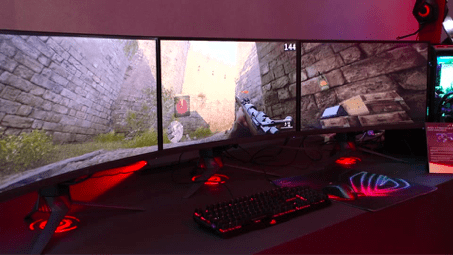
Screen tearing and stuttering severely detract from the gaming experience. Adaptive synchronization technologies like FreeSync and G-Sync eliminate these flaws by synchronizing the screen's refresh rate with the frame rate generated by the graphics card.
Checking the compatibility between your existing hardware and the desired monitor avoids costly disappointments. Owners of AMD graphics cards should prioritize FreeSync certified monitors, while Nvidia users benefit from G-Sync. Some recent monitors support both standards simultaneously.
This synchronization significantly improves perceived smoothness, even with modest configurations. It also reduces eye strain during long sessions. Neglecting this aspect deprives the player of a significant technological advancement that has become accessible across all price ranges.
5. Forgetting about ergonomics and adjustment options
A high-performance monitor should adapt to the user's habits, not the other way around. Height, tilt, and rotation adjustments allow for optimal posture and help prevent musculoskeletal disorders. A fixed stand significantly limits comfort over extended periods.
The availability of various ports makes it easy to connect multiple peripherals. Monitors with integrated USB hubs simplify cabling for the gaming setup. Dedicated audio outputs offer additional options for connecting headphones or speakers.
Preset display modes tailored to different content types enhance everyday use. A blue light filter reduces eye strain at night. These additional features transform a simple monitor into a versatile tool suitable for a wide range of professional and recreational use cases.